
Whether you’re creating newsletters, Web sites, cool original art, or animations, this book has it covered. You’ll find out how to build Web pages with text and drawings, photos, Flash animations, and rollovers; check out enhanced Photoshop 3D tools; develop interactive animations for the Web or video with Flash CS4; and use the easier rollover and action features in Dreamweaver CS4 to add interactivity without coding. You’ll also discover:
- How to get familiar with the menus, panels, and tools that are similar throughout the suite
- Tips for getting creative with Illustrator’s cool new vector tracing feature
- Ways to use the annotation capabilities in Acrobat 9.0 and the improved CSS capabilities in Dreamweaver
- What Fireworks CS4, the newest addition to the suite, can add to Web sites
- Which extensions and filters are common to all programs
- Hard-to-find keyboard shortcuts in Illustrator
- How to enhance and manipulate photos with Photoshop
- Secrets for smoothing out your workflow
- How to use the Adobe Bridge
- Steps for using each program
To help you quickly find what you need, Adobe CS4 Design Premium All-in-One For Dummies is divided into eight minibooks:
- Adobe Creative Suite Basics
- InDesign CS4
- Illustrator CS4
- Photoshop CS4
- Acrobat CS4
- Dreamweaver CS4
- Flash CS4
- Fireworks CS4
Adobe CS4 Design Premium All-in-One For Dummies is your one-stop guide to all the parts of Adobe’s ultimate toolkit for today's designer.
Whether you’re creating newsletters, Web sites, cool original art, or animations, this book has it covered. You’ll find out how to build Web pages with text and drawings, photos, Flash animations, and rollovers; check out enhanced Photoshop 3D tools; develop interactive animations for the Web or video with Flash CS4; and use the easier rollover and action features in Dreamweaver CS4 to add interactivity without coding. You’ll also discover:
- How to get familiar with the menus, panels, and tools that are similar throughout the suite
- Tips for getting creative with Illustrator’s cool new vector tracing feature
- Ways to use the annotation capabilities in Acrobat 9.0 and the improved CSS capabilities in Dreamweaver
- What Fireworks CS4, the newest addition to the suite, can add to Web sites
- Which extensions and filters are common to all programs
- Hard-to-find keyboard shortcuts in Illustrator
- How to enhance and manipulate photos with Photoshop
- Secrets for smoothing out your workflow
- How to use the Adobe Bridge
- Steps for using each program
To help you quickly find what you need, Adobe CS4 Design Premium All-in-One For Dummies is divided into eight minibooks:
- Adobe Creative Suite Basics
- InDesign CS4
- Illustrator CS4
- Photoshop CS4
- Acrobat CS4
- Dreamweaver CS4
- Flash CS4
- Fireworks CS4
Adobe CS4 Design Premium All-in-One For Dummies is your one-stop guide to all the parts of Adobe’s ultimate toolkit for today's designer.

Adobe Creative Suite 4 Design Premium All-in-One For Dummies
944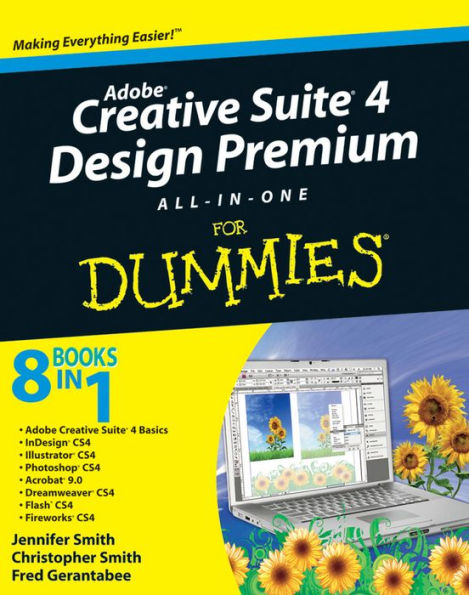
Adobe Creative Suite 4 Design Premium All-in-One For Dummies
944Related collections and offers

Product Details
| ISBN-13: | 9780470449004 |
|---|---|
| Publisher: | Wiley |
| Publication date: | 02/18/2009 |
| Series: | For Dummies Books |
| Sold by: | JOHN WILEY & SONS |
| Format: | eBook |
| Pages: | 944 |
| File size: | 9 MB |