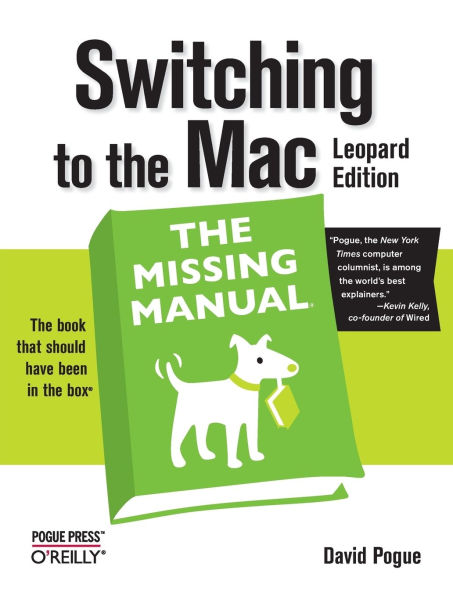
Switching to the Mac, Leopard Edition: The Missing Manual

Pick Up in Store

Reserve and pick up in 60 minutes at your local store

Paperback (Reprint)
$19.89
BN.com price
$29.99 List Price (Save 34%)
Marketplace (New and Used)
from
$0.01
$29.99 List Price (Save 100%)
All (68)  
Used (57)  
New (11)  
Close
Sort by
Page 1 of 7
Showing 1 – 10 of 68 (7 pages)
$0.01
(Save 100%)
Seller since 2006

Feedback rating:

(50891)

Condition:

New — never opened or used in original packaging.

Like New — packaging may have been opened. A "Like New" item is suitable to give as a gift.

Very Good — may have minor signs of wear on packaging but item works perfectly and has no damage.

Good — item is in good condition but packaging may have signs of shelf wear/aging or torn packaging. All specific defects should be noted in the Comments section associated with each item.

Acceptable — item is in working order but may show signs of wear such as scratches or torn packaging. All specific defects should be noted in the Comments section associated with each item.

Used — An item that has been opened and may show signs of wear. All specific defects should be noted in the Comments section associated with each item.

Refurbished — A used item that has been renewed or updated and verified to be in proper working condition. Not necessarily completed by the original manufacturer.

Good
Shows some signs of wear, and may have some markings on the inside. 100% Money Back Guarantee. Shipped to over one million happy customers. Your purchase benefits world literacy!

Ships from: Mishawaka, IN

Usually ships in 1-2 business days

  • Canadian
  • International
  • Standard, 48 States
  • Standard (AK, HI)
  • Express, 48 States
  • Express (AK, HI)
$0.01
(Save 100%)
Seller since 2006

Feedback rating:

(50891)

Condition: Acceptable
Former Library book. Shows definite wear, and perhaps considerable marking on inside. 100% Money Back Guarantee. Shipped to over one million happy customers. Your purchase ... benefits world literacy! Read more Show Less

Ships from: Mishawaka, IN

Usually ships in 1-2 business days

  • Canadian
  • International
  • Standard, 48 States
  • Standard (AK, HI)
  • Express, 48 States
  • Express (AK, HI)
$0.99
(Save 97%)
Seller since 2011

Feedback rating:

(225)

Condition: Good
2008 Paperback Good Text is clean with some moderate exterior wear.

Ships from: St Paul, MN

Usually ships in 1-2 business days

  • Canadian
  • International
  • Standard, 48 States
  • Standard (AK, HI)
  • Express, 48 States
  • Express (AK, HI)
$1.75
(Save 94%)
Seller since 2008

Feedback rating:

(301)

Condition: Like New
2008 Paperback Fine Like new condition. Absolutely no highlightings or markings inside the books. All covers subject to prior use. (If the book was published with a CD/DVD it ... will be included in your copy. ) Read more Show Less

Ships from: Front Royal, VA

Usually ships in 1-2 business days

  • Canadian
  • International
  • Standard, 48 States
  • Standard (AK, HI)
  • Express, 48 States
  • Express (AK, HI)
$1.99
(Save 93%)
Seller since 2009

Feedback rating:

(8063)

Condition: Acceptable
A tradition of southern quality and service. All books guaranteed at the Atlanta Book Company. Our mailers are 100% recyclable.

Ships from: Atlanta, GA

Usually ships in 1-2 business days

  • Canadian
  • International
  • Standard, 48 States
  • Standard (AK, HI)
  • Express, 48 States
  • Express (AK, HI)
$1.99
(Save 93%)
Seller since 2008

Feedback rating:

(2244)

Condition: Good
GOOD with average wear to cover, pages and binding. We ship quickly and work hard to earn your confidence. Orders are generally shipped no later than next business day. We offer a ... no hassle guarantee on all our items. Read more Show Less

Ships from: Tualatin, OR

Usually ships in 1-2 business days

  • Canadian
  • International
  • Standard, 48 States
  • Standard (AK, HI)
  • Express, 48 States
  • Express (AK, HI)
$1.99
(Save 93%)
Seller since 2010

Feedback rating:

(2521)

Condition: Acceptable
Blue Cloud Books ??? Hot deals from the land of the sun.

Ships from: Phoenix, AZ

Usually ships in 1-2 business days

  • Canadian
  • International
  • Standard, 48 States
  • Standard (AK, HI)
  • Express, 48 States
  • Express (AK, HI)
$1.99
(Save 93%)
Seller since 2007

Feedback rating:

(5906)

Condition: Good
Light shelf wear and minimal interior marks. Millions of satisfied customers and climbing. Thriftbooks is the name you can trust, guaranteed. Spend Less. Read More.

Ships from: Auburn, WA

Usually ships in 1-2 business days

  • Canadian
  • International
  • Standard, 48 States
  • Standard (AK, HI)
  • Express, 48 States
  • Express (AK, HI)
$1.99
(Save 93%)
Seller since 2007

Feedback rating:

(5906)

Condition: Acceptable
Millions of satisfied customers and climbing. Thriftbooks is the name you can trust, guaranteed. Spend Less. Read More.

Ships from: Auburn, WA

Usually ships in 1-2 business days

  • Canadian
  • International
  • Standard, 48 States
  • Standard (AK, HI)
  • Express, 48 States
  • Express (AK, HI)
$1.99
(Save 93%)
Seller since 2007

Feedback rating:

(5906)

Condition: Very Good
Book has appearance of light use with no easily noticeable wear. Millions of satisfied customers and climbing. Thriftbooks is the name you can trust, guaranteed. Spend Less. ... Read More. Read more Show Less

Ships from: Auburn, WA

Usually ships in 1-2 business days

  • Canadian
  • International
  • Standard, 48 States
  • Standard (AK, HI)
  • Express, 48 States
  • Express (AK, HI)
Page 1 of 7
Showing 1 – 10 of 68 (7 pages)
Close
Sort by
NOOK Book (eBook)
$13.19
BN.com price
$23.99 List Price (Save 45%)

Available on NOOK devices and apps

  • Nook Devices
  • NOOK
  • NOOK Color
  • NOOK Tablet
  • Tablet/Phone
  • NOOK for iPad
  • NOOK for iPhone
  • NOOK for Android
  • NOOK for Android (Tablet)
  • NOOK Kids for iPad
  • PC/Mac
  • NOOK Study
  • NOOK for PC
  • NOOK for Mac

Want a NOOK? Explore Now

Overview

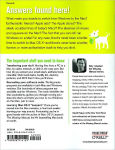
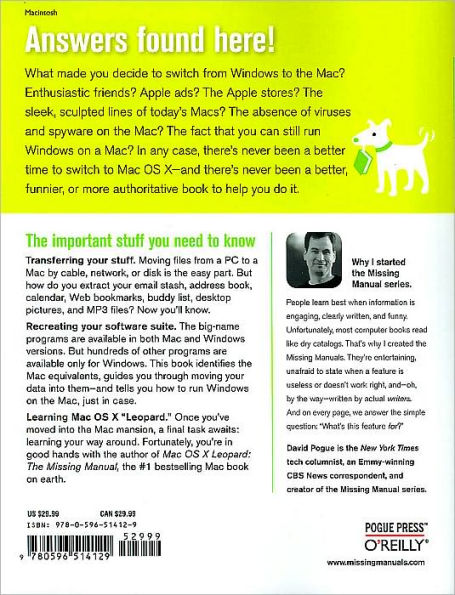
Is Windows giving you pause? Ready to make the leap to the Mac instead? There has never been a better time to switch from Windows to Mac, and this incomparable guide will help you make a smooth transition. New York Times columnist and Missing Manuals creator David Pogue gets you past three challenges: transferring your stuff, assembling Mac programs so you can do what you did with Windows, and learning your way around Mac OS X.

Why is this such a good time to switch? Upgrading from one version of Windows to another used to be simple. But now there's Windows Vista, a veritable resource hog that forces you to relearn everything. Learning a Mac is not a piece of cake, but once you do, the rewards are oh-so-much better. No viruses, worms or spyware. No questionable firewalls, inefficient permissions, or other strange features. Just a beautiful machine with a thoroughly reliable system. And if you're still using Windows XP, we've got you covered, too.

If you're ready to take on Mac OS X Leopard, the latest edition of this bestselling guide tells you everything you need to know:

  • Transferring your stuff — Moving photos, MP3s, and Microsoft Office documents is the easy part. This book gets you through the tricky things: extracting your email, address book, calendar, Web bookmarks, buddy list, desktop pictures, and MP3 files.
  • Re-creating your software suite — Big-name programs (Word, Photoshop, Firefox, Dreamweaver, and so on) are available in both Mac and Windows versions, but hundreds of other programs are available only for Windows. This guide identifies the Mac equivalents and explains how to move your data to them.
  • Learning Leopard — Once you've moved into the Mac, a final task awaits: Learning your way around. Fortunately, you're in good hands with the author of Mac OS X: The Missing Manual, the #1 bestselling guide to the Macintosh.
Moving from Windows to a Mac successfully and painlessly is the one thing Apple does not deliver. Switching to the Mac: The Missing Manual, Leopard Edition is your ticket to a new computing experience.

Product Details

  • ISBN-13: 9780596514129
  • Publisher: O'Reilly Media, Incorporated
  • Publication date: 2/1/2008
  • Edition description: Reprint
  • Pages: 608
  • Sales rank: 715,904
  • Series: Missing Manual Series
  • Product dimensions: 7.32 (w) x 8.97 (h) x 1.20 (d)

Meet the Author

David Pogue, Yale '85, is the weekly personal-technology columnist for the New York Times and an Emmy award-winning tech correspondent for CBS News. His funny tech videos appear weekly on CNBC. And with 3 million books in print, he is also one of the world's bestselling how- to authors. In 1999, he launched his own series of amusing, practical, and user-friendly computer books called Missing Manuals, which now includes 100 titles.

Table of Contents

The Missing Credits; ; Introduction; What Mac OS X Gives You; What Mac OS X Takes Away; About This Book; The Very Basics; Welcome to Macintosh; Chapter 1: How the Mac Is Different; 1.1 Power On, Dude; 1.2 That One-Button Mouse; 1.3 On, Off, and Sleep; 1.4 The Menu Bar; 1.5 Finder = Windows Explorer; 1.6 Dock = Taskbar; 1.7 Menulets = Tray; 1.8 Keyboard Differences; 1.9 Disk Differences; 1.10 Where Your Stuff Is; 1.11 Window Controls; 1.12 Terminology Differences; Chapter 2: Folders, Dock, & Windows; 2.1 Getting into Mac OS X; 2.2 The Four Window Views; 2.3 Icon View; 2.4 List View; 2.5 Column View; 2.6 Cover Flow View; 2.7 Quick Look; 2.8 The Dock; 2.9 The Finder Toolbar; 2.10 Getting Help in Mac OS X; Chapter 3: Files, Icons, & Spotlight; 3.1 Renaming Icons; 3.2 Selecting Icons; 3.3 Moving and Copying Icons; 3.4 Aliases: Icons in Two Places at Once; 3.5 Color Labels; 3.6 The Trash; 3.7 Get Info; 3.8 The Spotlight Menu; 3.9 The Spotlight Window; 3.10 Customizing Spotlight; 3.11 Smart Folders; Chapter 4: Documents, Programs, & Spaces; 4.1 Opening Mac OS X Programs; 4.2 The New, Improved "Alt-Tab"; 4.3 Exposé: Death to Window Clutter; 4.4 Spaces: Your Free Quad-Display Mac; 4.5 Hiding Programs the Old-Fashioned Way; 4.6 How Documents Know Their Parents; 4.7 Keyboard Control; 4.8 The Save and Open Dialog Boxes; 4.9 Two Kinds of Programs: Cocoa and Carbon; 4.10 The Cocoa Difference; 4.11 Universal Apps (Intel Macs); 4.12 Installing Mac OS X Programs; 4.13 Dashboard; 4.14 Web Clips: Make Your Own Widgets; Moving In; Chapter 5: Eight Ways to Transfer Your Files; 5.1 Transfer by Apple Genius; 5.2 Transfers by iTornado; 5.3 Transfers by Disk; 5.4 Transfers by Network; 5.5 Transfers by File-Sending Web Site; 5.6 Transfers by Email; 5.7 Transfers by iDisk; 5.8 Transfers by Bluetooth; 5.9 Where to Put Your Copied Files; 5.10 Document-Conversion Issues; Chapter 6: Transferring Email and Contacts; 6.1 ; 6.2 A Reminder That Could Save You Hours; 6.3 Transferring Your Outlook Mail; 6.4 Transferring Your Outlook Address Book; 6.5 Transferring from Outlook Express; 6.6 Transferring Your Eudora Mail; 6.7 Transferring Your Eudora Address Book; 6.8 Email Settings; Chapter 7: Special Software, Special Problems; 7.1 ACDSee; 7.2 Acrobat Reader; 7.3 ACT; 7.4 Ad Subtract (Pop-up Stopper); 7.5 Adobe [your favorite program here]; 7.6 America Online; 7.7 AIM (AOL Instant Messenger); 7.8 Children's Software; 7.9 Earthlink Total Access; 7.10 Easy CD Creator; 7.11 Encarta; 7.12 Eudora; 7.13 Excel; 7.14 Firefox; 7.15 Games; 7.16 Google Desktop Search; 7.17 ICQ; 7.18 Internet Explorer; 7.19 iTunes; 7.20 Kazaa; 7.21 Limewire; 7.22 MacAfee VirusScan; 7.23 Microsoft Access; 7.24 Microsoft Money; 7.25 Microsoft Office; 7.26 Microsoft Publisher; 7.27 Microsoft Visio; 7.28 Minesweeper; 7.29 MSN Messenger; 7.30 NaturallySpeaking; 7.31 Netscape; 7.32 Newsgroup Readers; 7.33 Norton AntiVirus; 7.34 Norton Utilities; 7.35 Notepad; 7.36 Outlook/Outlook Express; 7.37 Paint Shop Pro; 7.38 Palm Desktop; 7.39 Picasa; 7.40 Pocket PC; 7.41 PowerPoint; 7.42 QuickBooks; 7.43 Quicken; 7.44 RealPlayer; 7.45 RssReader; 7.46 Skype; 7.47 SnagIt; 7.48 Solitaire; 7.49 Street Atlas USA; 7.50 TaxCut, TurboTax; 7.51 WinAmp, MusicMatch; 7.52 Windows Media Player; 7.53 WinZip; 7.54 Word; 7.55 WordPerfect; 7.56 Yahoo Messenger; Chapter 8: Windows on Macintosh; 8.1 Boot Camp; 8.2 Windows in a Window; Chapter 9: Hardware on the Mac; 9.1 Printers and Printing; 9.2 Managing Printouts; 9.3 Faxing; 9.4 PDF Files; 9.5 Fonts—and Font Book; 9.6 Digital Cameras; 9.7 Disks; 9.8 Burning CDs and DVDs; 9.9 iTunes: The Digital Jukebox; 9.10 DVD Movies; 9.11 Keyboard; 9.12 Mouse; 9.13 Monitors; 9.14 Time Machine; 9.15 .Mac Sync; The Mac Online; Chapter 10: Internet Setup; 10.1 Network Central—and Multihoming; 10.2 Broadband Connections; 10.3 Dial-up Modem Connections; 10.4 Switching Locations; 10.5 Internet Sharing; 10.6 .Mac Services; 10.7 Internet Location Files; Chapter 11: Mail & Address Book; 11.1 Checking Your Mail; 11.2 Writing Messages; 11.3 Stationery; 11.4 Reading Email; 11.5 The Anti-Spam Toolkit; 11.6 RSS Feeds; 11.7 Notes; 11.8 To Dos; 11.9 Address Book; Chapter 12: Safari & iChat; 12.1 Safari; 12.2 Tips for Better Surfing; 12.3 Tabbed Browsing; 12.4 iChat; 12.5 Text Chats; 12.6 Audio Chats; 12.7 Video Chats; 12.8 Sharing Your Screen; 12.9 iChat Theater; Putting Down Roots; Chapter 13: Accounts, Parental Controls, & Security; 13.1 Introducing Accounts; 13.2 Creating an Account; 13.3 Parental Controls; 13.4 Editing Accounts; 13.5 Setting Up the Login Process; 13.6 Signing In, Logging Out; 13.7 Sharing Across Accounts; 13.8 Fast User Switching; 13.9 Four Mac OS X Security Shields; Chapter 14: Networking, File Sharing, & Screen Sharing; 14.1 Wiring the Network; 14.2 File Sharing; 14.3 Accessing Shared Files; 14.4 Networking with Windows; 14.5 Screen Sharing; Chapter 15: System Preferences; 15.1 The System Preferences Window; 15.2 .Mac; 15.3 Accounts; 15.4 Appearance; 15.5 Bluetooth; 15.6 CDs & DVDs; 15.7 Date & Time; 15.8 Desktop & Screen Saver; 15.9 Displays; 15.10 Dock; 15.11 Energy Saver; 15.12 Exposé & Spaces; 15.13 International; 15.14 Keyboard & Mouse; 15.15 Network; 15.16 Parental Controls; 15.17 Print & Fax; 15.18 QuickTime; 15.19 Security; 15.20 Sharing; 15.21 Software Update; 15.22 Sound; 15.23 Speech; 15.24 Spotlight; 15.25 Startup Disk; 15.26 Time Machine; 15.27 Universal Access; Chapter 16: The Free Programs; 16.1 Address Book; 16.2 AppleScript; 16.3 Automator; 16.4 Calculator; 16.5 Chess; 16.6 Dashboard; 16.7 Dictionary; 16.8 DVD Player; 16.9 Exposé; 16.10 Font Book; 16.11 Front Row; 16.12 GarageBand; 16.13 iCal; 16.14 iChat; 16.15 iDVD; 16.16 iMovie, iPhoto; 16.17 iTunes; 16.18 Mail; 16.19 Photo Booth; 16.20 Preview; 16.21 QuickTime Player; 16.22 Safari; 16.23 Stickies; 16.24 System Preferences; 16.25 TextEdit; 16.26 Time Machine; 16.27 Utilities: Your Mac OS X Toolbox; Appendixes; Installation & Troubleshooting; Getting Ready to Install; Three Kinds of Installation; The Basic Installation; The Upgrade Installation; The Clean Install ("Archive and Install"); Erase & Install; The Setup Assistant; Troubleshooting; The "Where'd It Go?" Dictionary; ; The Master Mac OS X Secret Keystroke List; ; Colophon;

Customer Reviews

Be the first to write a review
( 0 )

Rating Distribution

5 Star

(0)

4 Star

(0)

3 Star

(0)

2 Star

(0)

1 Star

(0)

Your Rating:

Your Name: Create a Pen Name or Leave Anonymously

Barnes & Noble.com Review Rules

Our reader reviews allow you to share your comments on titles you liked, or didn't, with others. By submitting an online review, you are representing to Barnes & Noble.com that all information contained in your review is original and accurate in all respects, and that the submission of such content by you and the posting of such content by Barnes & Noble.com does not and will not violate the rights of any third party. Please follow the rules below to help ensure that your review can be posted.

Reviews by Our Customers Under the Age of 13

We highly value and respect everyone's opinion concerning the titles we offer. However, we cannot allow persons under the age of 13 to have accounts at BN.com or to post customer reviews. Please see our Terms of Use for more details.

What to exclude from your review:

Please do not write about reviews, commentary, or information posted on the product page. If you see any errors in the information on the product page, please send us an email.

Reviews should not contain any of the following:

  • - HTML tags, profanity, obscenities, vulgarities, or comments that defame anyone
  • - Time-sensitive information such as tour dates, signings, lectures, etc.
  • - Single-word reviews. Other people will read your review to discover why you liked or didn't like the title. Be descriptive.
  • - Comments focusing on the author or that may ruin the ending for others
  • - Phone numbers, addresses, URLs
  • - Pricing and availability information or alternative ordering information
  • - Advertisements or commercial solicitation

Reminder:

  • - By submitting a review, you grant to Barnes & Noble.com and its sublicensees the royalty-free, perpetual, irrevocable right and license to use the review in accordance with the Barnes & Noble.com Terms of Use.
  • - Barnes & Noble.com reserves the right not to post any review -- particularly those that do not follow the terms and conditions of these Rules. Barnes & Noble.com also reserves the right to remove any review at any time without notice.
  • - See Terms of Use for other conditions and disclaimers.
Search for Products You'd Like to Recommend

Recommend other products that relate to your review. Just search for them below and share!

Create a Pen Name

Your Pen Name is your unique identiy on BN.com. It will appear on the reviews you write and other website activities. Your Pen Name cannot be edited, changed or deleted once submitted.

Your Pen Name can be any combination of alphanumeric characters (plus - and _), and must be at least two characters long.

Continue Anonymously

We're sorry, but penname is already taken.

Please select one of the following:
Your Pen Name can be any combination of alphanumeric characters (plus - and _), and must be at least two characters long.

Continue Anonymously

penname is available!

By visiting the BN.com website or marking a purchase on BN.com, a User is deemed to have accepted the Terms of Use.

Continue Anonymously

Welcome, penname

You have successfully created your Pen Name. Start enjoying the benefits of the BN.com Community today.

Sort by: Showing all of 16 Customer Reviews
  • Anonymous

    Posted October 26, 2009

    Making the Switch

    Having used a PC for numerous years at home and at work but getting increasingly frustrated with the viruses and computer freezes despite all necessary precautions, I decided to take the leap and move over to a Mac. Wanting to gain a behind-the-scenes look at what a Mac before purchasing it - more than and different from what I could get at an Apple Store - I found this book to be extremely helpful, as Pogue makes many comparisons between the two systems, thus allowing the reader the luxury of "experiencing" a Mac based on what's known and comfortable on the PC side. I definitely recommend this book to anyone who is either contemplating the PC-to-Mac switch or has already decided to make the switch. The book is an invaluable resource.

    1 out of 1 people found this review helpful.

    Was this review helpful? Yes  No   Report this review
  • Posted December 5, 2009

    Comprehensive and Practical Reference

    While now slightly outdated with the release of Snow Leopard, when I bought the book (several months ago) it was just what I needed to switch from a PC/Windows machine to the Mac with a minimum of fuss or wasted time. I have been using DOS and then Windows since 1983. This book enabled me to switch to the Mac without too much trouble. I especially liked the guide to the transfer of files and data within files to the appropriate place and program on the Mac.

    The description of the Mac environment with Windows equivalents was also very helpful.

    The whole idea of the Missing Manual series by David Pogue is fantastic. I hope the series continues (as I know it has) with a wider field of software and hardware.

    Was this review helpful? Yes  No   Report this review
  • Posted April 20, 2009

    Title reflects exactly the contents of the book

    Well done. Easy to read for a manual. Recommend to anyone purchasing either their first mac or someone who needs a reference manual to which to refer owning their 2nd or 3rd mac.

    Was this review helpful? Yes  No   Report this review
  • Posted April 7, 2009

    I Also Recommend:

    Essential For Anyone Switching to a Mac

    I started with a Mac nearly 20 years but switched to PC because that was what was used in business. Now that I retired, I purchased a MacBook Prof and love it. Switching to the Mac has made the transition much easier. The book is comprehensive and written in easily understandable prose. It is a reference I will be using for a long time. I would recommend it to anyone switching to the Mac.

    Was this review helpful? Yes  No   Report this review
  • Anonymous

    Posted March 2, 2009

    A must have for Mac "Virgins"

    A great reference tool for anyone making the move from PC to a Mac. I had little experience with a Mac before getting my MacBook, but was tired of my PC. It was the best move I could have made, and this book just made it all that much easier when I had questions.

    Was this review helpful? Yes  No   Report this review
  • Anonymous

    Posted September 15, 2008

    Great Book for former PC Users

    I knew very little about using a Mac. I found this book easy to follow and very helpful if you are considering changing from a PC to a MAC. I was also impressed with the Mac features and glad not to deal with the aggravations one has to deal with using a PC.

    0 out of 1 people found this review helpful.

    Was this review helpful? Yes  No   Report this review
  • Anonymous

    Posted February 6, 2009

    No text was provided for this review.

  • Anonymous

    Posted January 24, 2009

    No text was provided for this review.

  • Anonymous

    Posted June 13, 2009

    No text was provided for this review.

  • Anonymous

    Posted December 21, 2009

    No text was provided for this review.

  • Anonymous

    Posted May 27, 2010

    No text was provided for this review.

  • Anonymous

    Posted November 16, 2008

    No text was provided for this review.

  • Anonymous

    Posted November 4, 2009

    No text was provided for this review.

  • Anonymous

    Posted December 17, 2008

    No text was provided for this review.

  • Anonymous

    Posted October 17, 2009

    No text was provided for this review.

  • Anonymous

    Posted May 20, 2010

    No text was provided for this review.

Sort by: Showing all of 16 Customer Reviews

If you find inappropriate content, please report it to Barnes & Noble
Why is this product inappropriate?
Comments (optional)
500 character limit