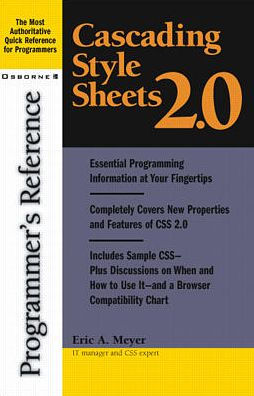
Cascading Style Sheets 2.0 Programmer's Reference

Publisher's Note: Products purchased from Third Party sellers are not guaranteed by the publisher for quality, authenticity, or access to any online entitlements included with the product.


This handy resource gives you programming essentials at your fingertips, including all the new tags and features in CSS 2.0


The most authoritative quick reference available for CSS programmers. This handy resource gives you programming essentials at your fingertips, including all the new tags and features in CSS 2.0. You'll get concise information on designing and deploying complex style sheets as well as details on browser support.
1147888058
Cascading Style Sheets 2.0 Programmer's Reference

Publisher's Note: Products purchased from Third Party sellers are not guaranteed by the publisher for quality, authenticity, or access to any online entitlements included with the product.


This handy resource gives you programming essentials at your fingertips, including all the new tags and features in CSS 2.0


The most authoritative quick reference available for CSS programmers. This handy resource gives you programming essentials at your fingertips, including all the new tags and features in CSS 2.0. You'll get concise information on designing and deploying complex style sheets as well as details on browser support.
30.0 In Stock
Cascading Style Sheets 2.0 Programmer's Reference

Cascading Style Sheets 2.0 Programmer's Reference

by Eric Meyer
Cascading Style Sheets 2.0 Programmer's Reference

Cascading Style Sheets 2.0 Programmer's Reference

by Eric Meyer

Paperback(Subsequent)

$30.00 
  • SHIP THIS ITEM
    In stock. Ships in 1-2 days.
  • PICK UP IN STORE

    Your local store may have stock of this item.

Related collections and offers


Overview

Publisher's Note: Products purchased from Third Party sellers are not guaranteed by the publisher for quality, authenticity, or access to any online entitlements included with the product.


This handy resource gives you programming essentials at your fingertips, including all the new tags and features in CSS 2.0


The most authoritative quick reference available for CSS programmers. This handy resource gives you programming essentials at your fingertips, including all the new tags and features in CSS 2.0. You'll get concise information on designing and deploying complex style sheets as well as details on browser support.

Product Details

ISBN-13: 9780072131789
Publisher: McGraw Hill LLC
Publication date: 03/20/2001
Series: Programmer's Reference Series
Edition description: Subsequent
Pages: 368
Product dimensions: 5.40(w) x 8.30(h) x 0.89(d)

About the Author

Eric A. Meyer (Cleveland, OH) has been working with the Web since late 1993. He is currently the Internet Applications Manager for the OPAL Group, an information technology firm in Cleveland, Ohio. Eric is an Invited Expert and member of the W3C CSS&FP Working Group, and he is responsiblr for coordinating the creation of the W3C's CSS Test Suite. Eric continues to remain active on CSS newsgroups and edits Web Review's Style Sheets Reference

Read an Excerpt

Chapter 2: Values

Although authors tend to focus on the properties in CSS, nothing in CSS would work without the values that are assigned to those properties. After all, you can't describe the left border of an element without being able to say what it looks like, and that's what values do. In many cases, a property will use its own uniquely defined keywords (e.g., underline or thin). However, there are also many cases where generic types of values can be used. These generic value types are explained in this chapter.

The property reference chapters (4 through 6) use roughly the same value syntax as that described in section 1.3.2 of the CSS2 specification. In particular, the same symbolic conventions are used to indicate alternatives and optional keywords. The grouping symbols are as follows:

  • A vertical bar ( I ) is used to separate two or more alternatives when any one, but only one, of them may be used.
  • A double vertical bar (I I) is used to separate two or more alternatives when any of them may be used in any order. This operator is stronger than the single vertical bar.
  • A sequence of several words means that all of them must occur in the order shown. 2A sequence is stronger than the double vertical bar.
  • Square brackets ( [ 1) are used to group values together.
Thus, the following two expressions are equivalent: In addition to the grouping symbols, there are also modifier symbols. Any keyword, value type, or group can be modified using the following symbols.

An asterisk (*) indicates that the preceding value or group may occur zero or more times, with no defined upper limit.

A plus sign (+) indicates that the preceding value or group must occur one or more times, with no defined upper limit.

A question mark (?) indicates that the preceding value or group is optional. • A pair of two comma-separated numbers in curly braces x, Y )) indicates that the preceding value or group occurs a minimum of X times and a maximum of Y times. For example, to test { 2 , 5 ) means that the word t test must appear anywhere from two to five times.

Any symbols besides the ones defined here must appear literally. Two such examples are the comma (,) and slash (/) symbols.

The most important thing to keep in mind with values is that, when they use a unit, there is no space between the value and its unit. For example, a distance of four inches is written 4in. Any space between the value and its associated unit (as in 4 in) will cause browsers to ignore the declaration at best, and drastically misinterpret it at worst. This is one of the most common mistakes CSS authors make.

It is also the case that values are never quoted (except for string values and some font names). Thus, the keyword value for the color blue should not be written ^ blue ° . Instead, it should be blue. This is possibly the second most common mistake committed by CSS authors.

Color Values

Color values are used to specify a color (go figure). Typically, these are used to set a color either for the foreground of an element (i.e., its text) or else for the background of the element...

Table of Contents

Part I: Reference. Chapter 1: Basic Concepts. Chapter 2: Units. Chapter 3: Selectors, Psuedo-Elements and -Classes, and At-Rules. Chapter 4: Visual Media Styles. Chapter 5: Paged Media Styles. Chapter 6: Aural Media Styles. Part II: Summaries. Chapter 7: Browser Support Chart. Chapter 8: Property Quick Reference. Chapter 9: Useful Sites.
From the B&N Reads Blog

Customer Reviews